
AI Video Builder
Create multilingual training once. Deliver it in each worker's language.
Turn slide images and narration into training videos for several languages from one workflow. Review every translation before anything is rendered, generate voiceover and captions per language, then publish the finished training into RevoHR for assignment and completion tracking.
- Build from slides and narration
- Review translations before rendering
- Voiceover and captions per language
- Publishes into Training & Learning
Start with the training material you already have
Slides and a script, not a camera and a studio.
A safety induction for a workforce that speaks Romanian, Nepali and Hindi normally means three production runs and three budgets. Most companies give up and ship one English version, which is neither training anybody understood nor evidence anybody was trained.
In RevoHR the input is what HR already has: an image per slide, and the narration that belongs to it. The source language is chosen once, along with the languages the training should exist in, and every version is built from that same material.
Progress is saved as you go. An unfinished video stays a draft you can come back to rather than a session you have to redo.
- 1
Basics
Title, the language the narration is written in, and the languages to produce. The source language drops out of the target list automatically.
- 2
Slides
An image per slide, PNG or JPG up to 5 MB, and the caption that gets spoken. Voice pace is set per slide: normal, or slow for safety-critical content and non-native listeners.
- 3
Translations
Every caption translated into every target language, shown as a grid you can read and correct before anything is produced.
- 4
Publish
Submit the versions, watch each language render, then publish the result as a training.
Review the translation before a video is rendered
Machine translation should not be the last approval step on internal training. RevoHR shows the source caption against every target-language version in a grid, and every cell is editable.
A cell you change is marked as edited and is never overwritten by a later re-translation, so a correction made once survives. Translation also only re-runs when something has actually changed, so going back to check does not quietly rewrite what you fixed.
The voice for each language is chosen here too, female or male.
Generate a version for each selected language
After the review, each language version is produced with synthetic narration and captions. The video is rendered vertically, for the phone it will be watched on, with the captions burned into the picture rather than sitting in a separate file that can be lost.
Each version moves through the same states and can be watched or downloaded as it finishes. A language that fails can be retried on its own; the others are unaffected.
The video becomes part of the training process, not a file in a folder
A finished MP4 is where most tools stop. Publishing from the wizard creates a training in RevoHR Training & Learning, which can then be assigned like any other program.
That is what connects video production to everything after it: assignment, delivery, a quiz, and a completion record against each worker.
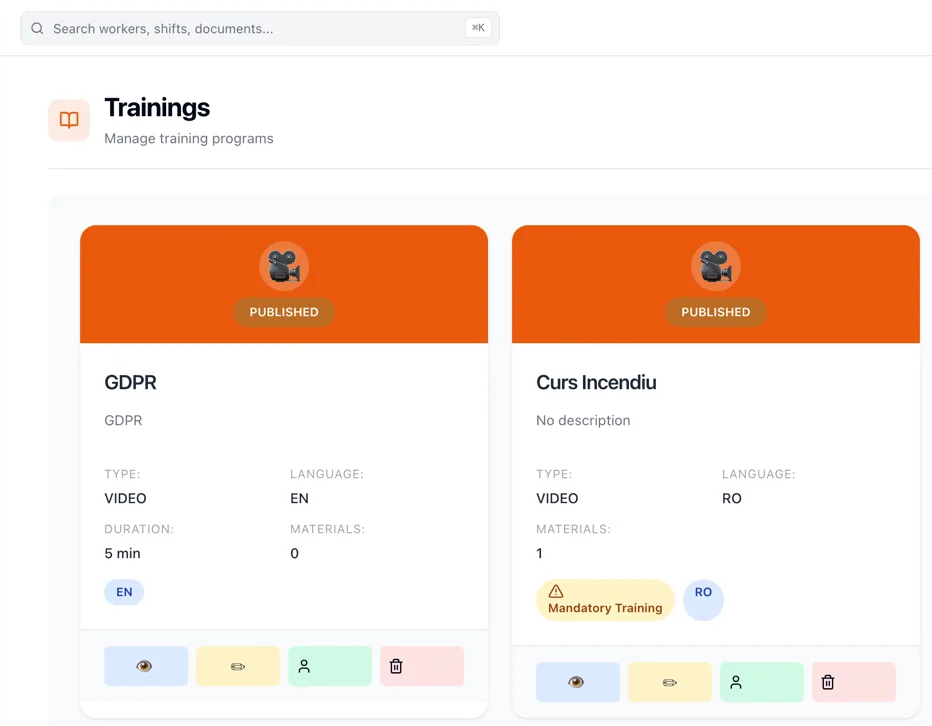
Built once, delivered according to the worker's language
Preferred language is already a field on the worker's profile, and it decides which version of a training they receive. HR does not run a separate distribution process per nationality or per site, and nobody has to keep a list of who reads what.
For deskless workers the training arrives over WhatsApp, in that language, with no app to install. Workers who use the web platform sit in the same training record; the delivery channel changes, the evidence does not.
Training counts for more when completion stays attached to the worker
A video that was sent is not a worker who was trained. The training module keeps the assignment, the completion and the result against the person, and a video training can carry a quiz so there is something to read beyond a delivery receipt.
So the argument for building video this way is not only that multilingual content becomes practical to produce. It is that the content enters the same process used to assign, assess and evidence training.
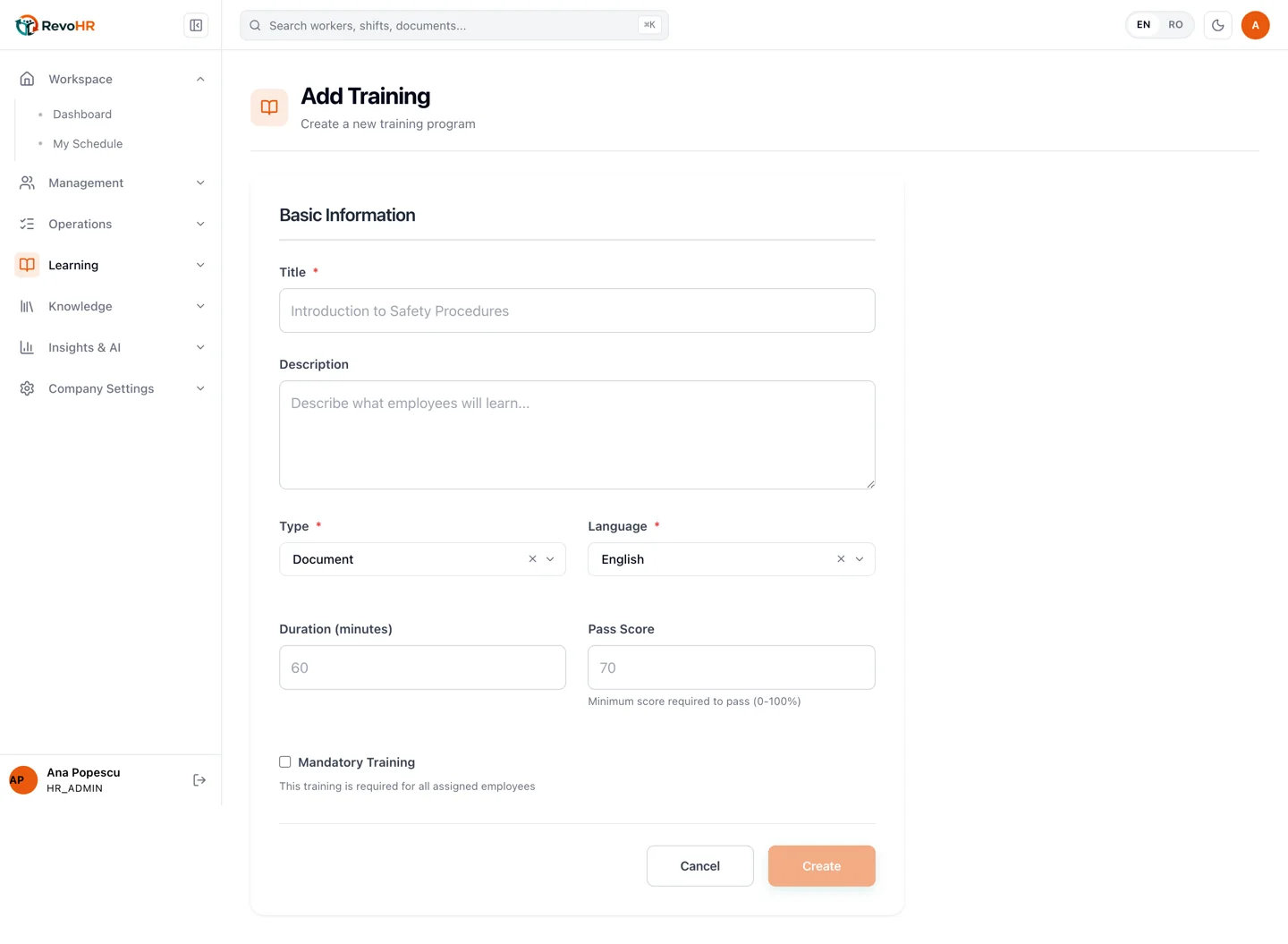
Where one training has to reach several languages
Operational examples
Manufacturing
Machine safety briefings that have to be understood on a line where three languages are spoken.
Construction
Site inductions produced once and issued in the language of each crew arriving on the project.
Hospitality
Standards and procedure training for seasonal starters who join in groups and read different languages.
Staffing & outsourcing
Client-specific induction built once, delivered in each worker's language, with the completion record kept per client.
What this replaces
| Current process | RevoHR approach |
|---|---|
| One English version, because three production runs are not affordable | A version per language from the same slides and script |
| A separate recording session for every language | One authoring pass, narration synthesised per language |
| Translation accepted unread, or checked in a side document | Source against target in a grid, editable before rendering |
| A correction lost the next time the file is regenerated | An edited translation is protected from re-translation |
| A finished MP4 emailed round and never accounted for | A training object that is assigned, assessed and recorded |
The video builder is one step of the training workflow
It produces the content. The training module assigns it, WhatsApp delivers it, the quiz assesses it, and the worker record keeps the result. Each part is worth more with the others in place.
Related product pages
Further reading
Frequently asked questions
- What do I need to create a training video?
- An image for each slide and the narration that belongs to it. You choose the language the narration is written in and the languages to produce it in; RevoHR builds every version from that same material.
- Can I check the translation before the video is made?
- Yes. Every caption is shown against each target language in an editable grid before anything is rendered. A cell you correct is marked as edited and is not overwritten by a later re-translation.
- Can I choose the voice?
- Yes. A female or male voice is selected per language, and the narration pace is set per slide - normal, or slow for safety-critical content and non-native listeners.
- What does the finished video look like?
- A vertical video for phone viewing, with the captions burned into the picture, produced as a separate version for each language you selected.
- What happens after the versions are generated?
- You publish the result as a training in RevoHR Training & Learning, where it is assigned, delivered and tracked like any other program, and can carry a quiz.
- Do workers need an app to watch it?
- No. Deskless workers receive the training over WhatsApp in their preferred language. Workers who use the web platform stay in the same training record; only the delivery channel differs.