
Leave Management
Leave requests in WhatsApp, with the staffing impact visible before approval
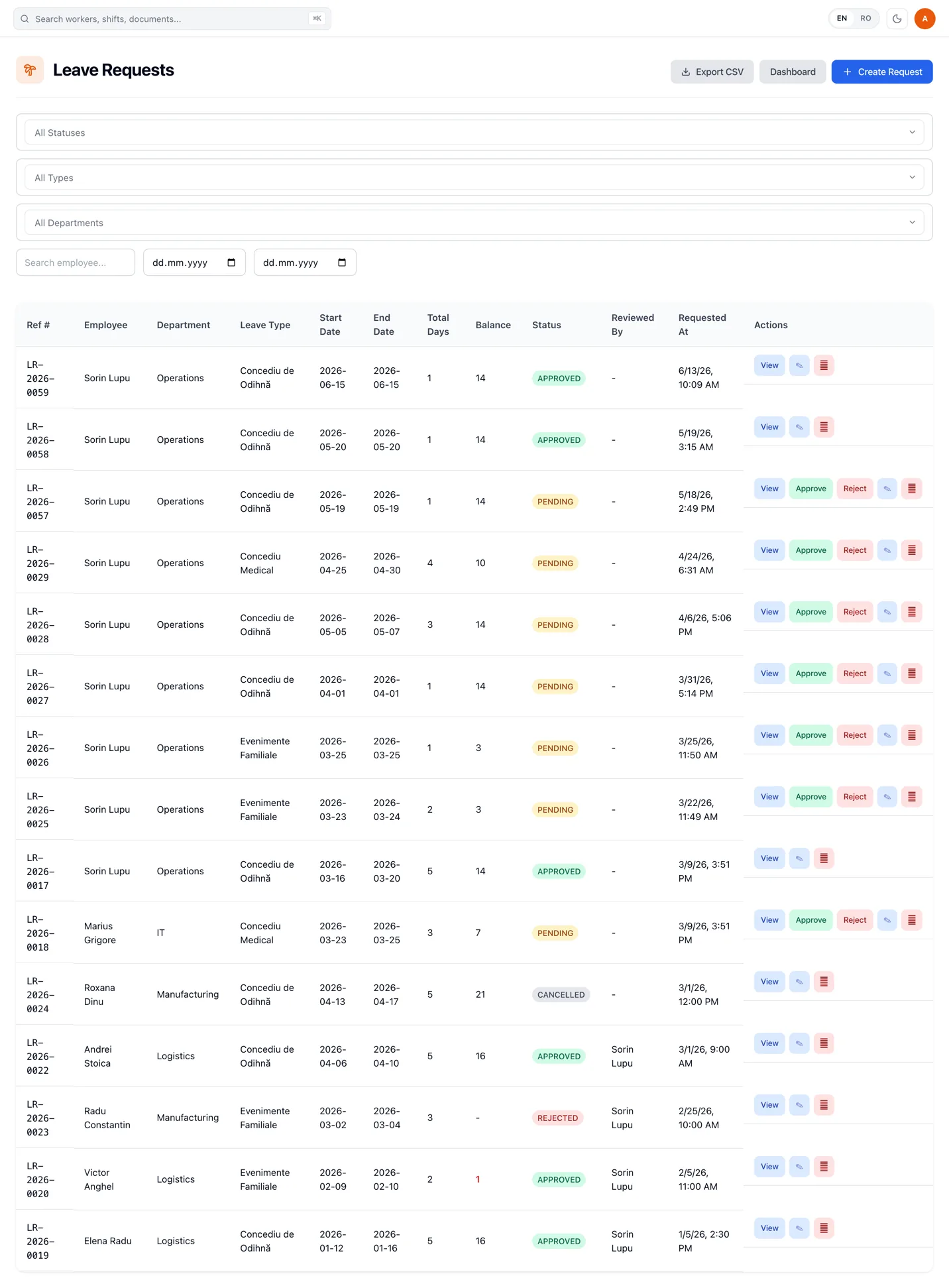
Workers request leave in conversation. RevoHR checks the configured policy and balance, routes the request for approval and surfaces shift conflicts before an approval creates a coverage gap.
- Leave requests through WhatsApp
- Configurable policies and entitlements
- Approval and rejection workflow
- Shift-conflict detection and replacement suggestions
The worker does not need to find a form or an HR portal
The request starts in the conversation the worker already uses.
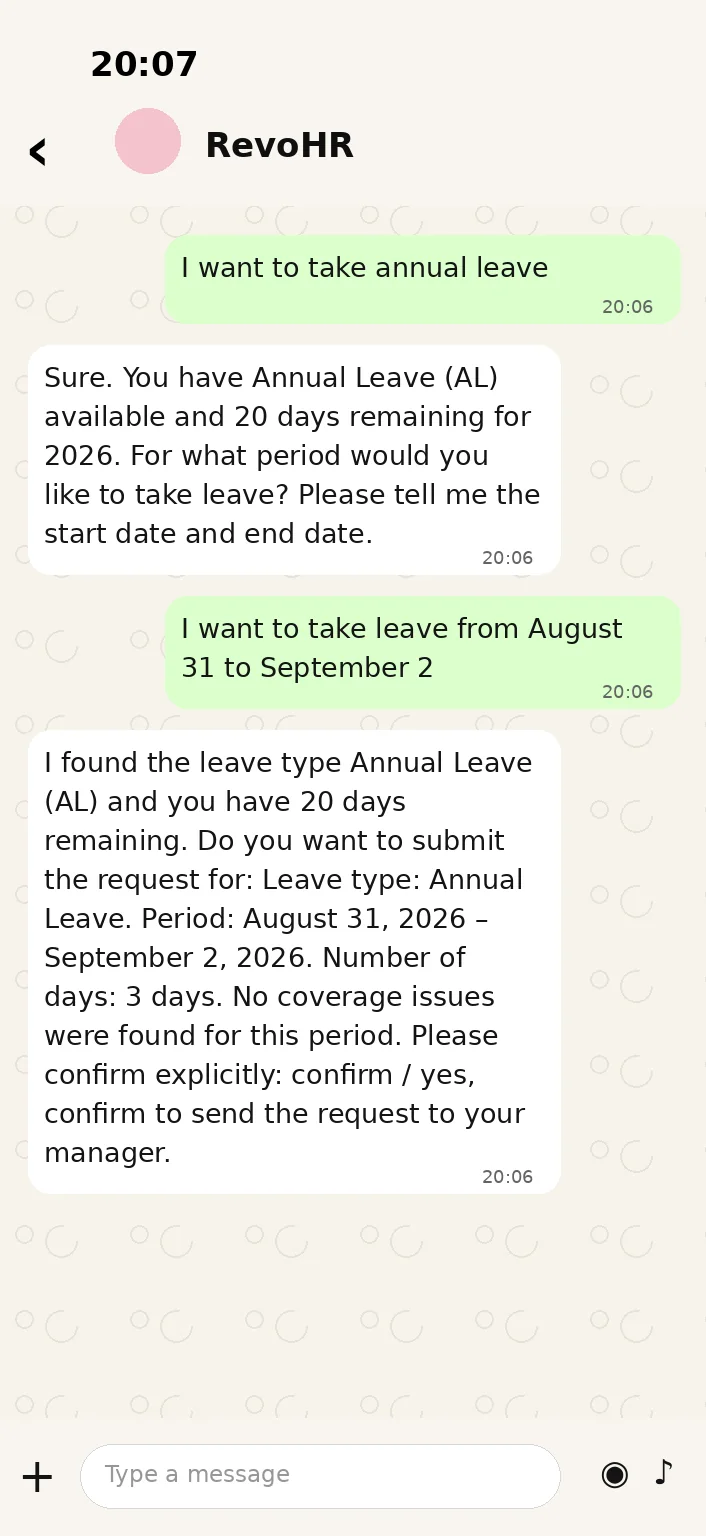
A worker can ask for leave through WhatsApp in their preferred language. RevoHR can show the relevant balance, confirm the leave type and the dates, and only submits the request after the worker confirms what will be filed.
The request then enters the same structured workflow HR sees in the web platform: reference number, leave type, dates, days, balance and status.
The assistant answers with the balance it found, restates the leave type, the exact period and the number of days, and asks for an explicit confirmation before anything is filed.
- 1Ask in WhatsApp
- 2Type and dates confirmed
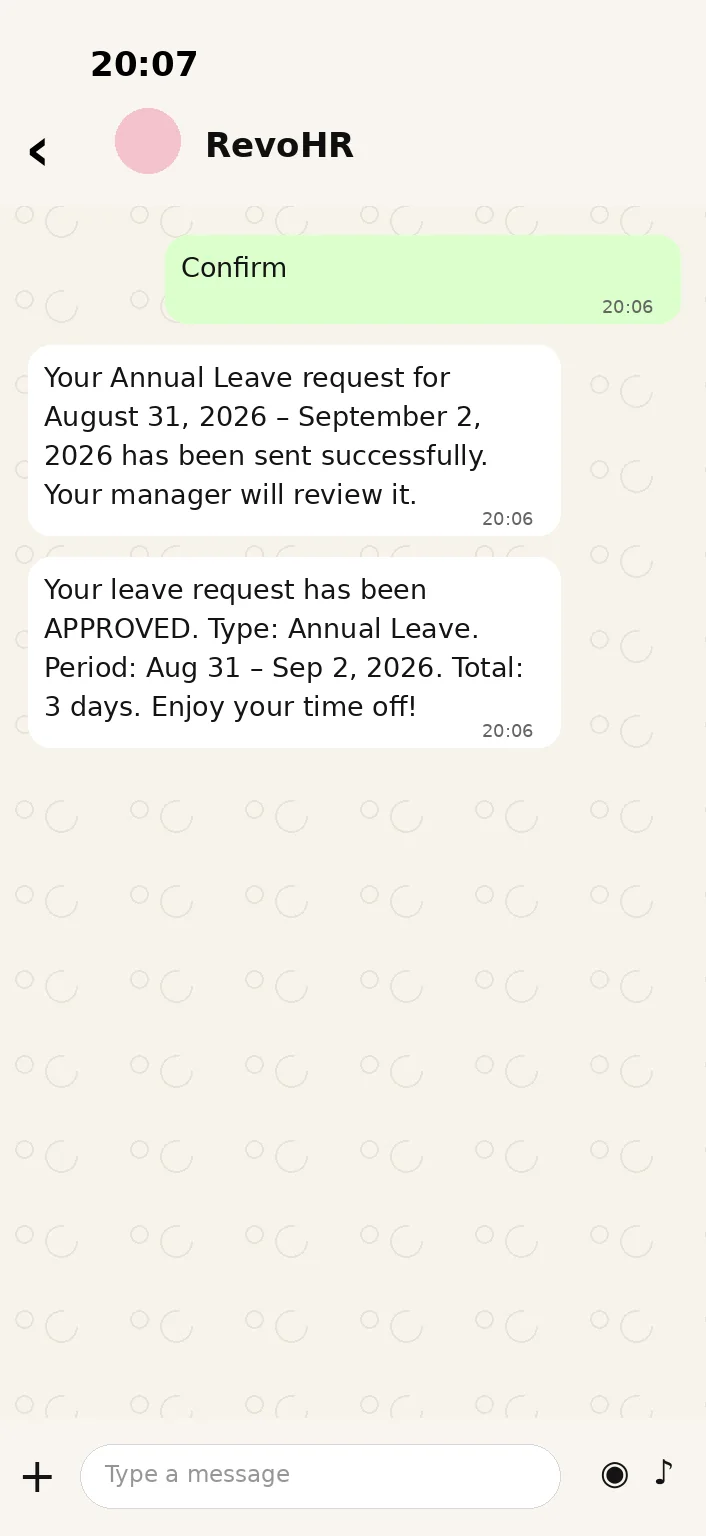
- 3Request filed
- 4Decision sent back
Illustration of the WhatsApp flow — rendered, not a device capture
Configure the policy once, then apply it consistently
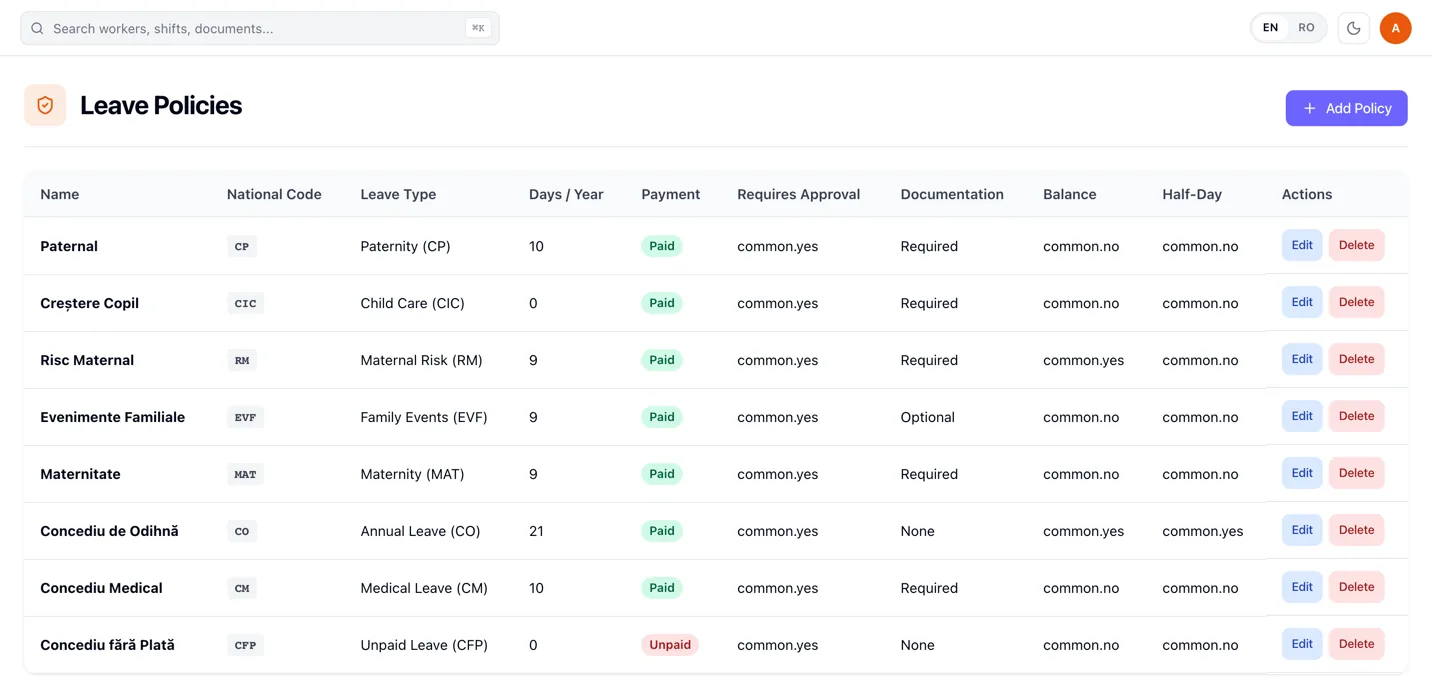
Leave policies define the rules behind each leave type: annual entitlement, whether approval is required, whether documentation is required, maximum consecutive days, whether the leave affects the balance and whether attendance prompts should be paused while the worker is away.
For Romania, RevoHR ships statutory leave types with their national codes seeded by default, while the company configures the policy names and rules it actually uses.
Approval is not isolated from the schedule
When requested leave collides with shifts the worker is already published on, the approval is blocked until those conflicts are resolved. The request detail shows the affected shifts and replacement suggestions, so the manager does not approve leave and discover the staffing gap when the shift starts.
Once every conflicting shift is resolved, the leave can be approved and the worker receives the decision.
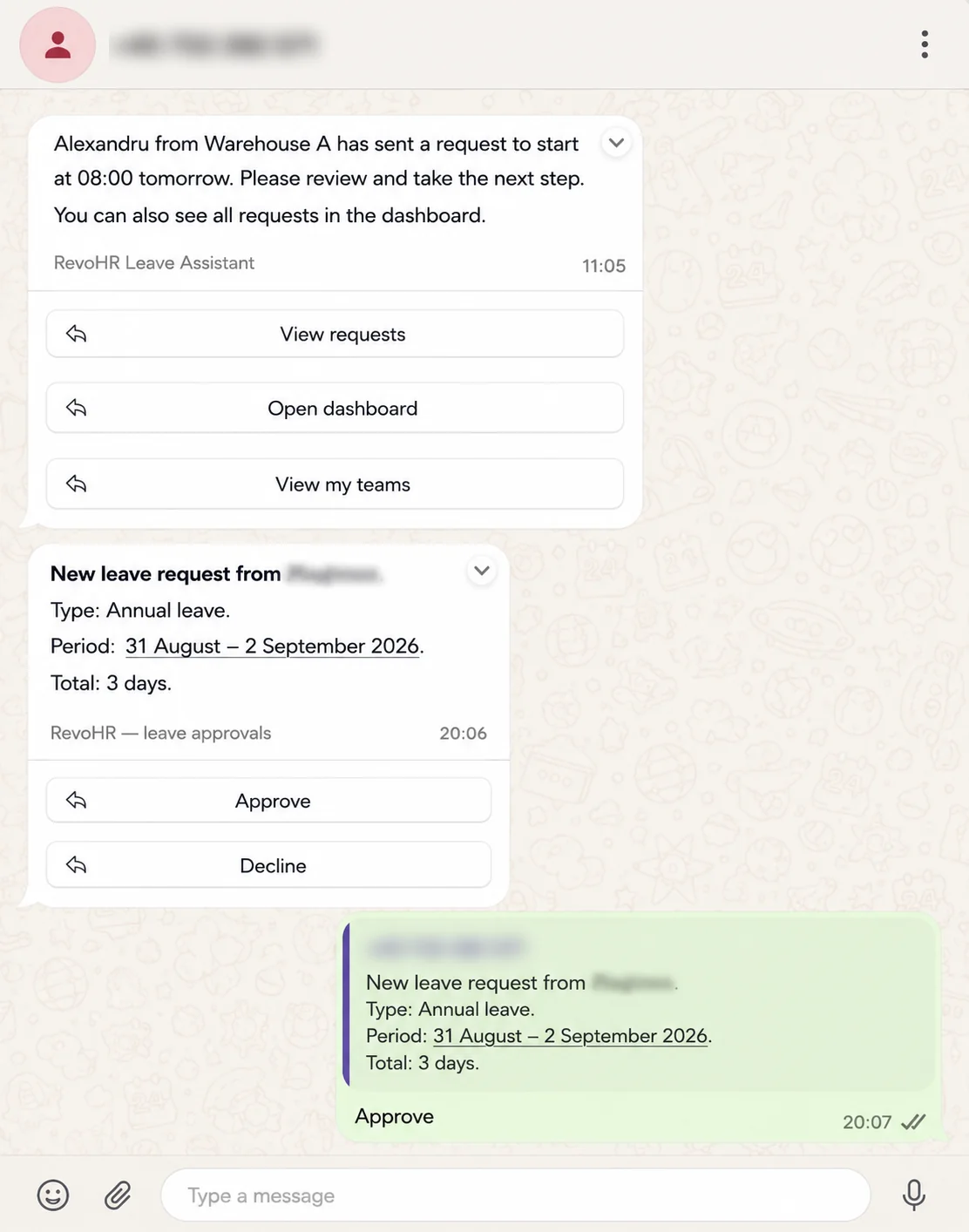
The manager can decide without opening the platform
The request reaches the manager as a message carrying the leave type, the period and the total days, with Approve and Decline on it. The decision can be taken from that message.
The full request, with its conflicts, its attached documents and its history, stays in the web platform for whoever needs to look at it properly.
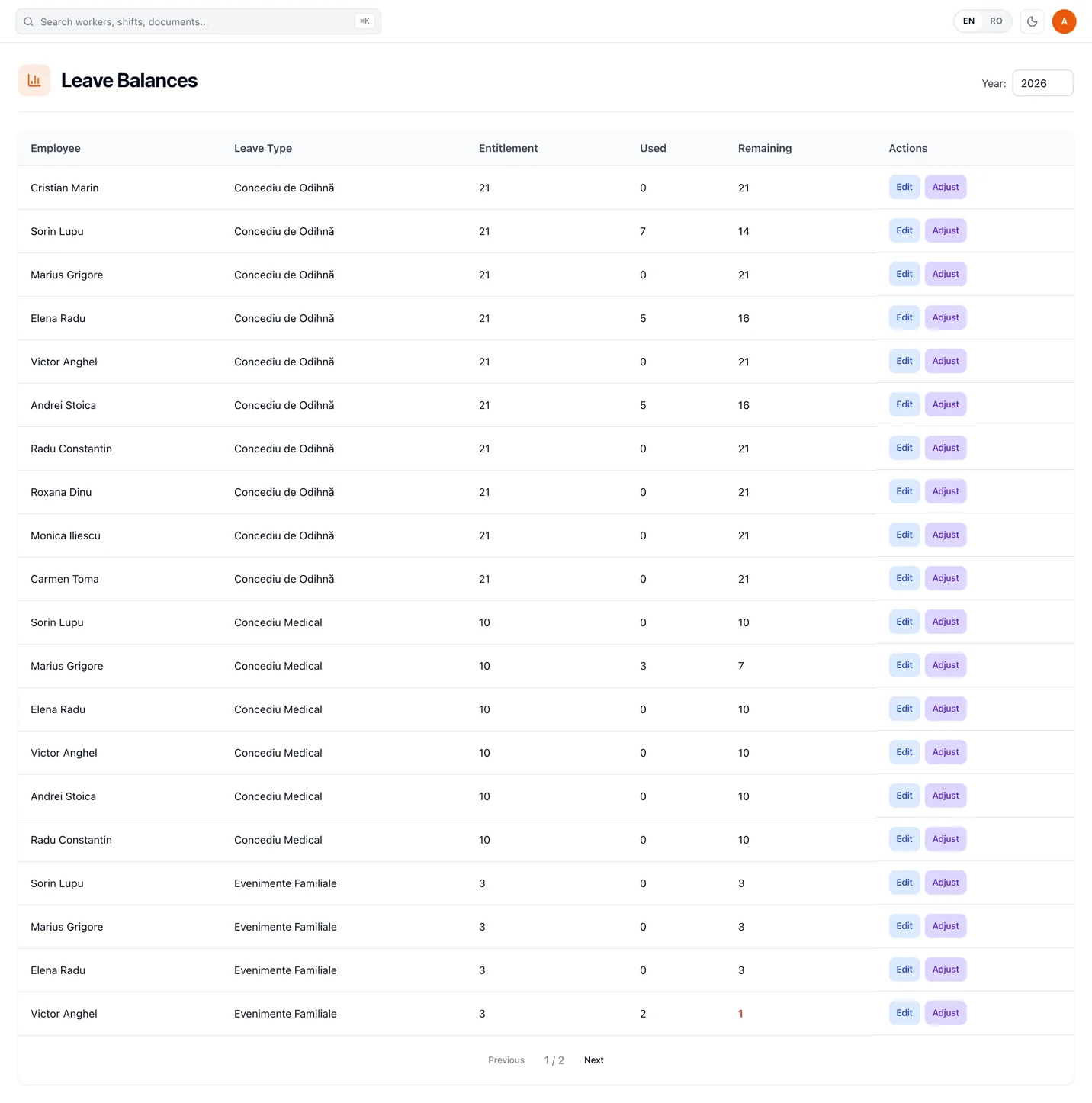
Keep entitlement, taken and remaining days at worker level
Leave balances are tracked by worker, year and leave type. HR can review entitlement, taken and remaining days, then make a recorded adjustment when an exception such as carry-over or a correction is needed.
Documentation stays attached to the request
Where a leave policy requires documentation, workers can attach supporting documents such as medical certificates to the request. The document remains available from the request detail instead of being separated into another email thread or folder.
Useful when leave decisions affect tomorrow's staffing
Operational examples
Manufacturing
Identify when leave would put an already published shift at risk.
Construction
Handle leave for crews moving between sites while keeping requests in one workflow.
Hospitality
See the staffing impact before approving leave during busy periods.
Staffing & outsourcing
Keep leave policy, balance and shift impact connected for workers deployed at client sites.
What this replaces
| Current process | RevoHR approach |
|---|---|
| Paper or email leave request | WhatsApp request with confirmation |
| Balance checked in a separate spreadsheet | Entitlement, taken and remaining per worker |
| Manager approves without seeing the schedule | Shift conflicts surfaced before approval |
| Manager opens a portal to approve | Approve or decline from the message |
| Replacement arranged after approval | Replacement suggestions while resolving the conflict |
| Rejection reason communicated manually | Documented reason sent to the worker |
Leave is one request among several the worker will send
The same WhatsApp conversation carries attendance, schedule questions, training and policy answers. Leave is simply one of the things the worker can ask for there, and the one whose approval most often changes who is working tomorrow.
Related product pages
Frequently asked questions
- Can workers request leave through WhatsApp?
- Yes. Workers can request leave conversationally, review the leave type, dates and balance, and confirm before the request is submitted.
- Can different leave types have different rules?
- Yes. Policies can define entitlement, approval, documentation, maximum consecutive days and other rules per leave type.
- Does RevoHR support Romanian leave types?
- Yes. Romanian statutory leave types are seeded by default and companies can configure the policy names and rules they use.
- What happens if approved leave would conflict with a published shift?
- Approval is blocked until the affected shifts are resolved. RevoHR shows the conflicts and can suggest replacement workers.
- Can HR adjust a worker's leave balance?
- Yes. HR can adjust entitlement or add and subtract days with a recorded reason, for corrections or carry-over.
- Can supporting documents be attached to a leave request?
- Yes. Workers can attach documents such as medical certificates and HR can view them from the request detail.