
People Management
One worker record behind every shift, leave request and HR conversation
RevoHR keeps the operational information HR needs around each worker in one profile: role, manager, team, location, preferred language, documents, training and the records created as work happens.
- Worker profile with role, team, location and manager
- Preferred language drives the worker experience
- Org chart and reporting structure
- Onboarding tied to role and client site
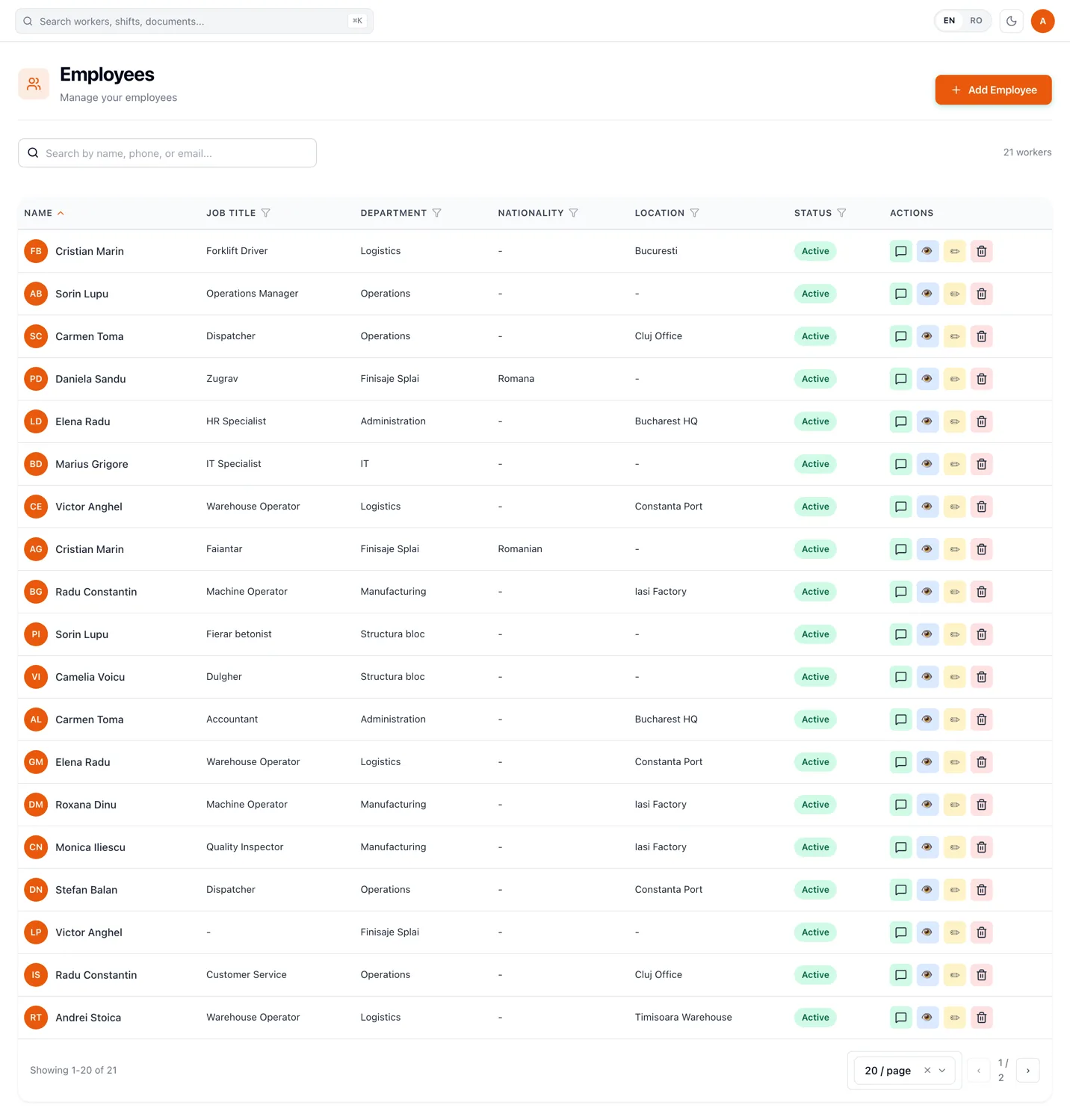
The worker record is where the rest of the system starts
The profile is not an archive. It is what the other modules read.
The job title on a profile is what a shift staffing requirement matches against, so a shift that needs two forklift drivers can be filled from the record rather than from memory. The team makes it possible to assign a whole crew at once. The location is what the attendance geofence is measured against.
The manager on a profile is not decoration either: that person receives the worker's leave requests, shift-change requests and late notifications. Set it and the routing follows.
Only four things are required to create a worker: first name, last name, phone number and preferred language. The phone number is the WhatsApp address, and everything the worker receives goes there.
What sits on a worker record
Info
Identity, work details, emergency contact and notes, with a hire date and an optional future leaving date.
Documents
Contracts, ID documents and certifications, each with a type and an expiry date.
Leave
Entitlement, taken and remaining days per year and leave type, with recorded adjustments.
Activity
Attendance, leave and conversation history for this person.
Chat
The WhatsApp thread between your team and the worker, with the original message available per message.
Preferred language is an operational field, not a label
Preferred language is a property of the person, not a display setting on a screen they never open. It decides the language of their assistant replies, the version of a training they receive, their shift notifications and their attendance prompts.
It is set once, when the profile is created, and it is one of the four required fields. Nobody has to find a language menu, and HR does not have to remember who reads what.
That is what makes a mixed-language workforce administrable from one platform: the records are in one language for HR, and every worker-facing message is in theirs.
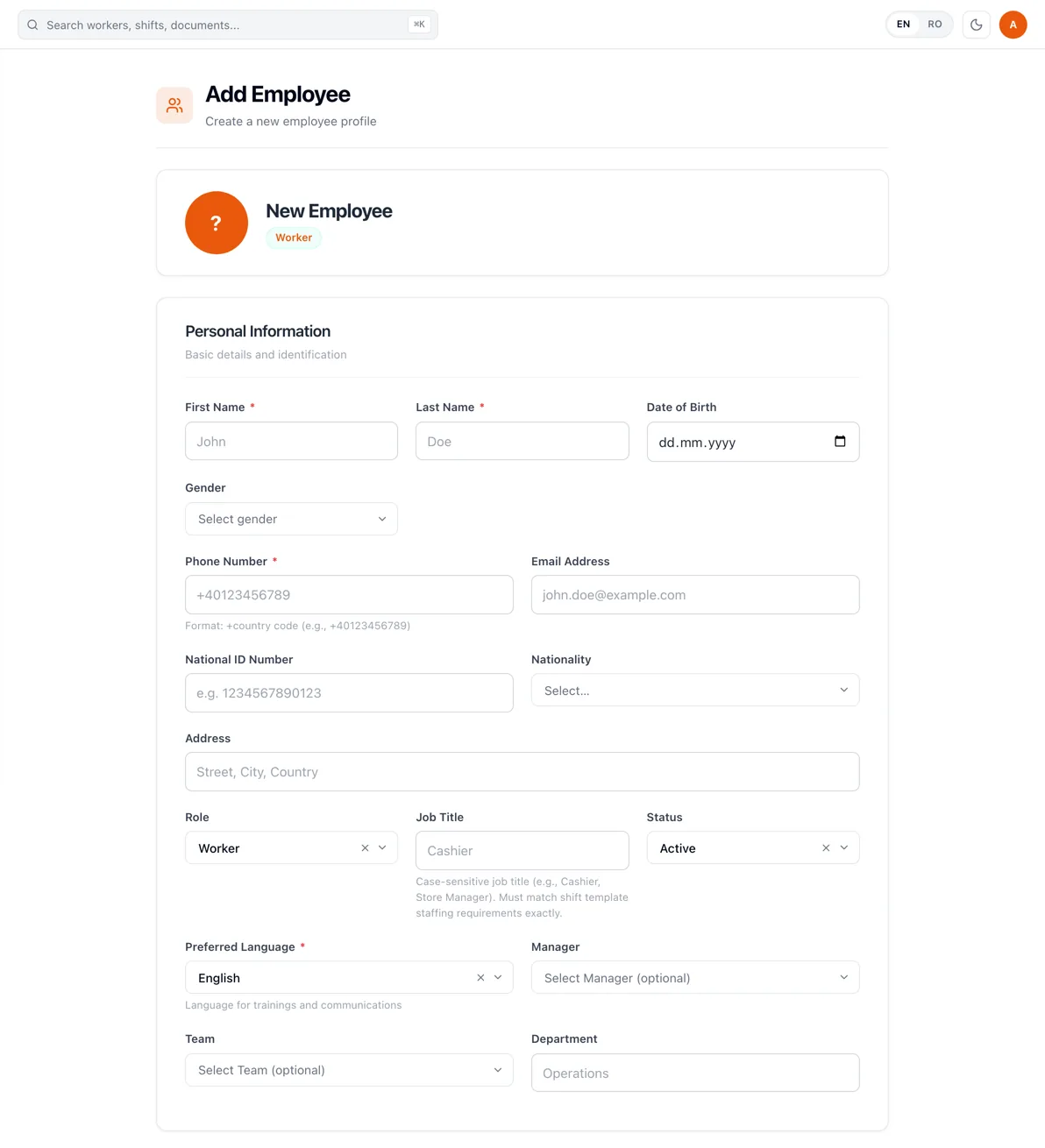
Put people in the structure they actually work in
Department, team, job title, location and manager are separate fields because operations use them separately. A department is for filtering and reporting, a job title is matched by shift staffing requirements, a location carries the coordinates attendance is checked against, and a team is a named group with a leader that can be scheduled or notified in one action.
A team can be built from its own page or from a worker's record; it is the same relationship seen from either end.
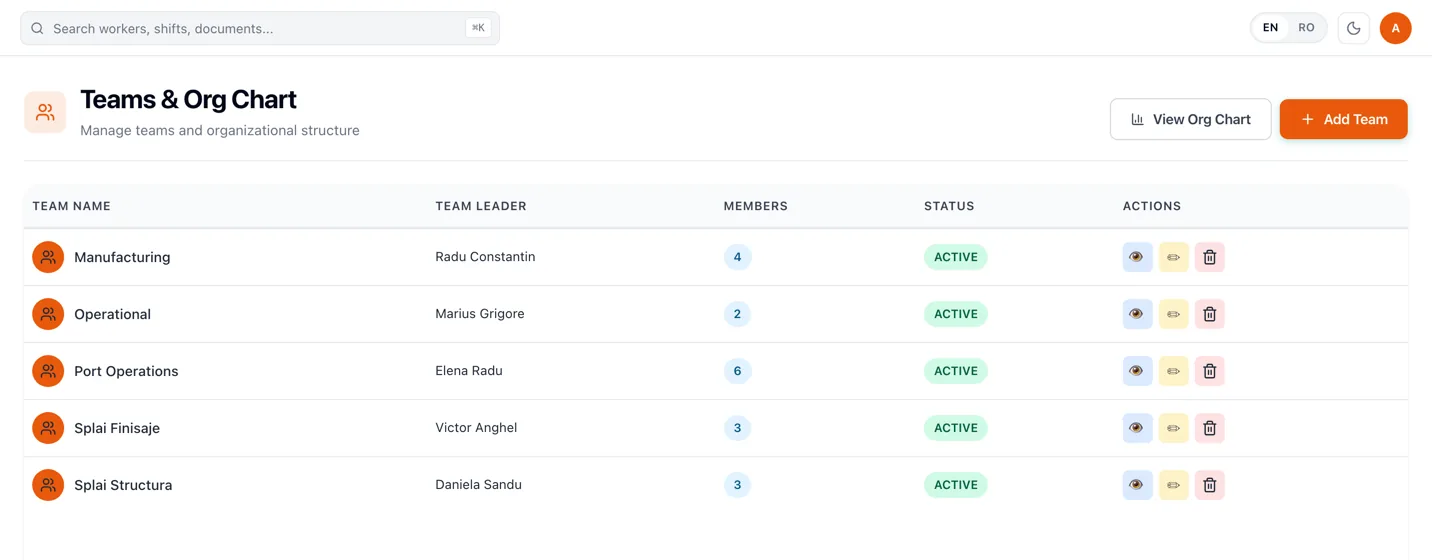
The org chart is drawn from the records, not maintained separately
The organisation chart is built from the manager field on each employee record, so it is a view of the data operations already relies on rather than a second diagram somebody has to remember to update. If it looks flat, the manager fields are what to fill in.
It comes in three views — a chart, an indented tree and a flat list — with search that finds a person and moves to their position. The chart exports to PDF, PNG or CSV, which is usually what an induction pack or a client review needs.
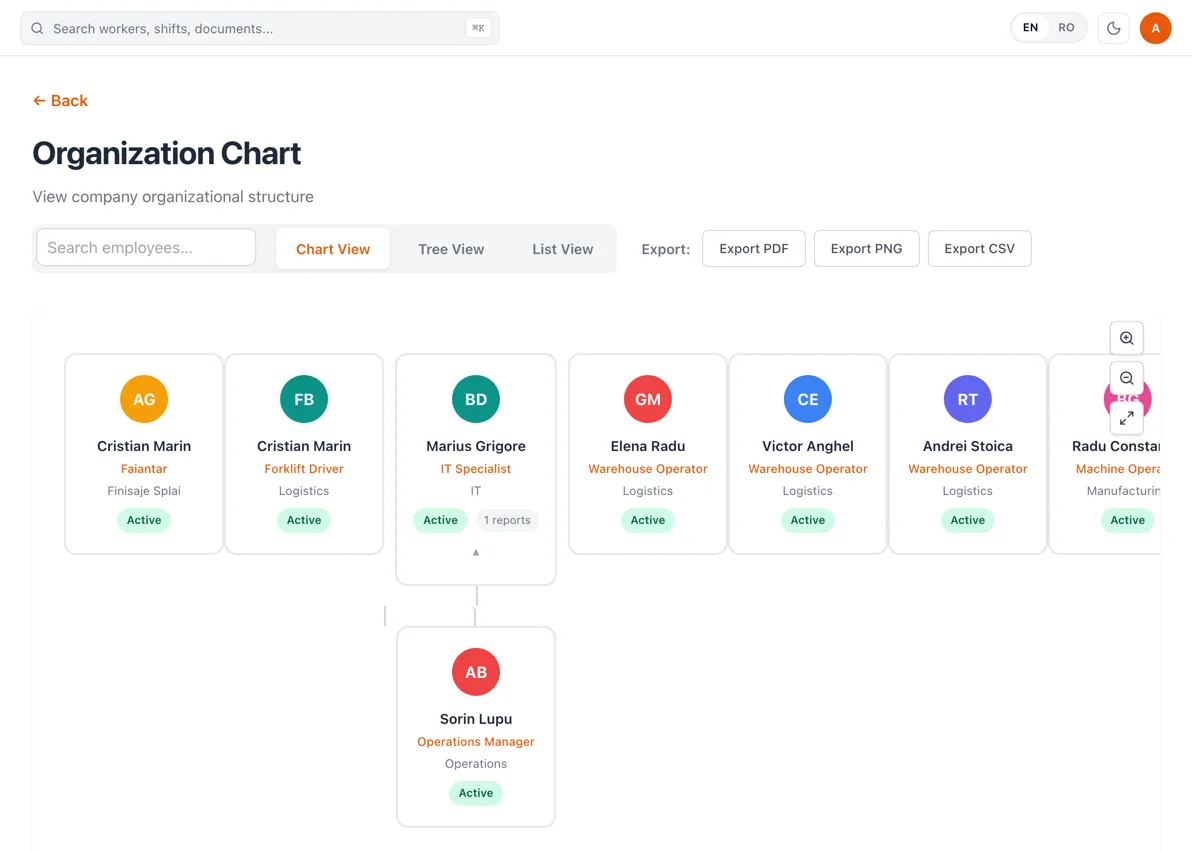
Onboarding starts when the profile is created
Not with a welcome pack the worker has to be handed in person.
- 1
Create the profile
Name, phone number and preferred language. The phone number is checked, and the worker exists in the system from that moment.
- 2
Place them in the structure
Team, location, department, job title and manager. This is what makes them schedulable and their requests routable.
- 3
Send the welcome message
An introductory WhatsApp message in their preferred language. No app to install, no account to create, no password.
- 4
Required training goes out on its own
The trainings that are mandatory for the role or the client site can be assigned automatically, delivered over WhatsApp in the worker's language and assessed. Nobody has to remember which induction a new starter owes.
One agency can manage separate client workforces
Several client workforces can be managed from one interface, with each client's workers, documents and reporting kept separate. One login, and no signing out of one account to answer a question about another site.
A client site is a location, a client crew is a team, and both are fields on the worker record, so the employee list filters down to one client's people — and so do the schedules, the attendance records and the training assignments built on them.
The same profile answers a different question in each operation
Operational examples
Manufacturing
Match job titles to shift staffing requirements so a line is filled by role rather than by who somebody remembers.
Construction
Keep crew, site and manager on the record as people move between projects.
Hospitality
Onboard a seasonal starter in their own language on the day the profile is created.
Staffing & outsourcing
Filter one client's workforce out of the list by location and team, and keep the schedules and records that follow filtered the same way.
What this replaces
| Current process | RevoHR approach |
|---|---|
| A different employee list for each process | One profile the operational records hang off |
| The worker's language kept in a note or in someone's head | Preferred language stored on the profile |
| Organisation structure maintained in a separate diagram | Manager, team, department and location on the record |
| Onboarding tracked through messages and checklists | Onboarding tied to the profile, the role and the site |
| Several clients' workers in the same files | Client site and crew as fields you can filter on |
Everything else on the platform reads this record
Scheduling, attendance, leave, training, documents and the WhatsApp assistant all resolve to the same worker. That is why the profile is worth getting right first: it is the one place a correction has to be made.
Related product pages
Frequently asked questions
- What information is stored on a worker profile?
- Name, phone number, preferred language, job title, department, team, location, manager, role and status, plus optional details such as date of birth, nationality, national ID, address, emergency contact, notes, hire date and a scheduled leaving date. Documents, leave balances, attendance history and the WhatsApp thread are attached to the same record.
- Does each worker need a RevoHR account?
- No. Workers hold no login. They interact through WhatsApp on their own phone number, which is the address RevoHR sends to, so there is no app to install and no password to manage.
- Can RevoHR store the worker's preferred language?
- Yes, and it is one of the four required fields on a profile. It decides the language of the worker's assistant replies, their training version, their shift notifications and their attendance prompts.
- Can workers be assigned to teams, managers and locations?
- Yes. Team, manager, department, job title and location are all fields on the record. The manager receives that worker's leave requests, shift-change requests and late notifications, and the org chart is drawn from the manager field.
- Can onboarding requirements depend on role or client site?
- Yes. Required training can be assigned automatically based on the worker's role or the site they are placed on, so a new starter receives what that position owes without anyone selecting it by hand.
- Can staffing companies keep client workforces separate?
- Yes. Several client workforces can be managed from one interface, with each client's workers, documents and reporting kept separate. A client site is also a location and a client crew a team on the worker record, so employee lists, schedules, attendance and training all filter down to one client.